Connect the right worker.
Send an email-bound invitation and track whether it is pending, accepted, expired, or cancelled.
 CertReady Teams
Company certification readiness
See crew readiness, upcoming expirations, required credentials, and worker-shared proof without chasing cards, photos, or spreadsheets.
New companies start with a request. Dashboard sign in is for existing Teams users.
One operating view
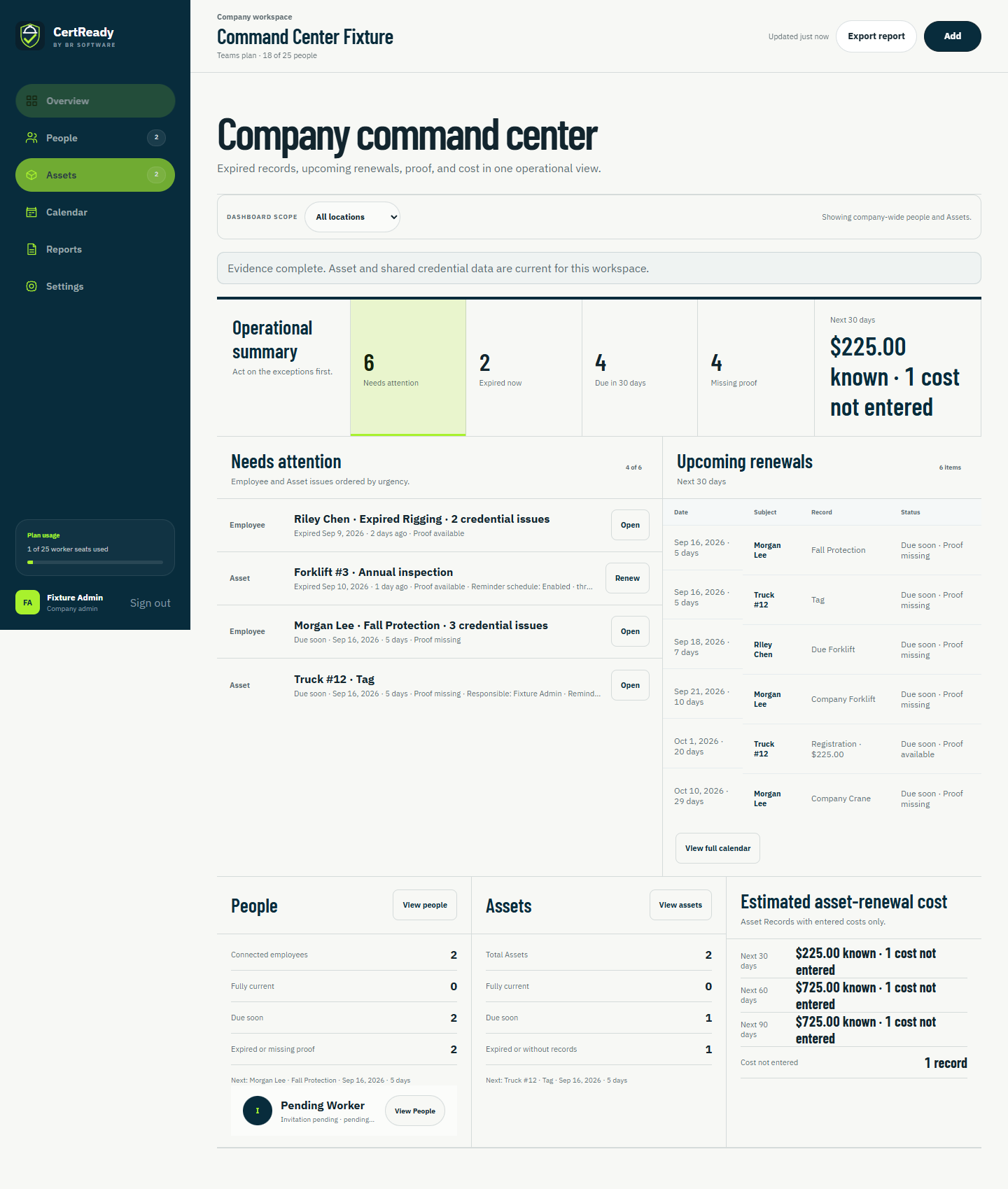
Teams brings readiness, renewals, requirements, and shared evidence into one focused workspace so the next action is visible before a crew is assigned.
Built for the handoff
Send an email-bound invitation and track whether it is pending, accepted, expired, or cancelled.
Prioritize missing, expiring, and expired credentials from the company overview and worker roster.
Review the credential details and proof photos a worker deliberately shares with your company. Shared records are not independent verification of authenticity.
Track dated records for vehicles, equipment, insurance, and inspections alongside your employee credentials.
Review upcoming employee and asset expirations in a calendar, with dates and records together.
Configure company reminder preferences and record estimated asset renewal costs so follow-up has a date and a budget.
Company access
Share the size of your crew and the certification, worksite, asset, or expiration problem you need to manage. BR Software will follow up about CertReady Teams.
What happens next
Tell us who you are, your crew size, and what readiness problem needs attention.
We review the requirements, worksites, assets, and proof your company needs to manage.
The company administrator receives the right onboarding path for CertReady Teams.
Worker controlled · Company useful
Accepting an invitation connects the worker and company; it does not silently expose the worker’s private wallet. Workers choose which personal credentials and optional proof photos to share and can revoke that access later. Revoking access does not recall photos or PDFs someone already downloaded.
Companies can still set requirements and maintain clearly labeled company-added records inside their own workspace.
Straight answers
Send the company request form with your contact details, crew size, and what you need to track. BR Software will follow up about the right setup for your company.
Each Teams workspace supports up to 25 active workers and two company administrators.
No. Worker credential wallets remain free. The company pays for the optional Teams dashboard.
No. Workers connect through an invitation and control which personal credentials and proof photos they share. Company-added records remain controlled by the company workspace.
Administrators use the secure CertReady Teams web portal. The Android app remains the private worker wallet.
Start with the company you run