 Pencil & Paid
Pencil it in.
Get it paid.
Turn the finished job into an invoice.
Pencil & Paid keeps your estimates, jobs, customers, schedule, photos, and invoices together on your phone, so you are not hunting through separate calendars, photo folders, and notes.
Android app. Install it from Google Play to start; new business owners get a 14-day account trial with no card needed to create the account.
How a job moves
From the estimate to an invoice you can send.
Real screens from the app, with example data.
- 1
Write the estimate
Create an estimate with line items and photos, mark it sent or approved, and turn an approved estimate into a scheduled job.
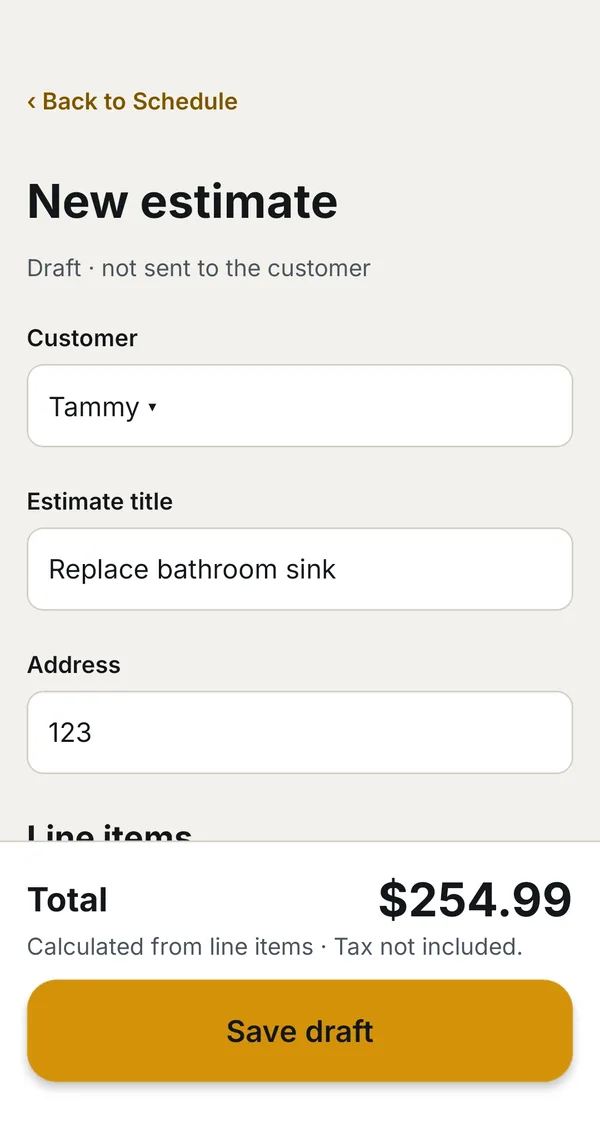
Writing an estimate. Example data. - 2
Plan your day
Open your schedule to see what is next, today’s jobs, and open time in your workday. Switch between Day, Week, and Month, pick a date, and schedule recurring work.
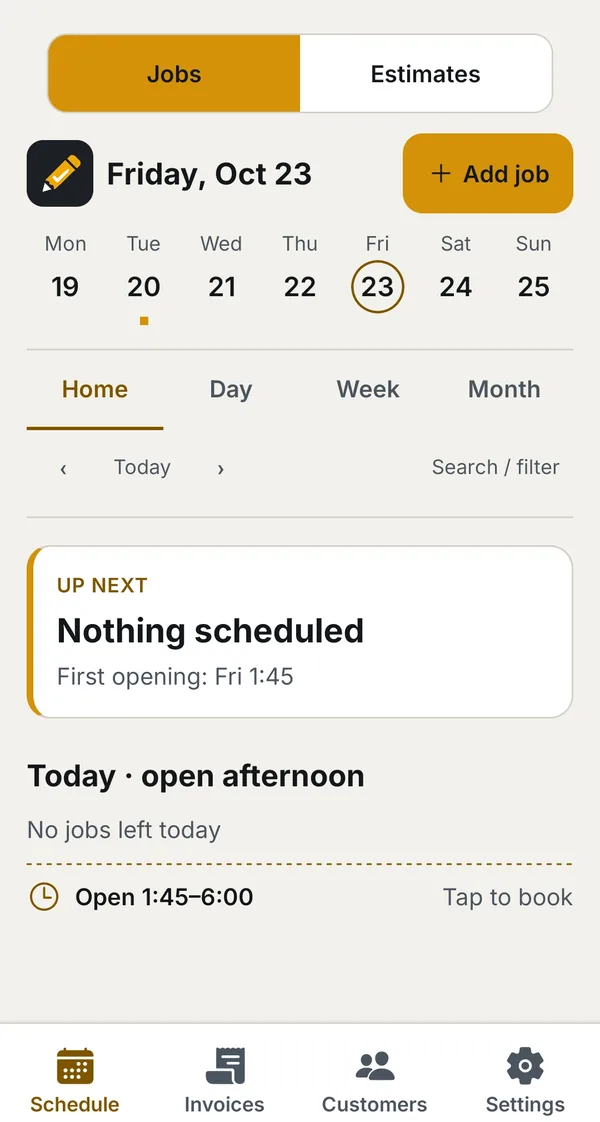
Today and open time. Example data. - 3
Show the work
Keep job notes and before-and-after photos with the job. Choose the photos to include in the invoice PDF so your customer can see the work they are paying for.
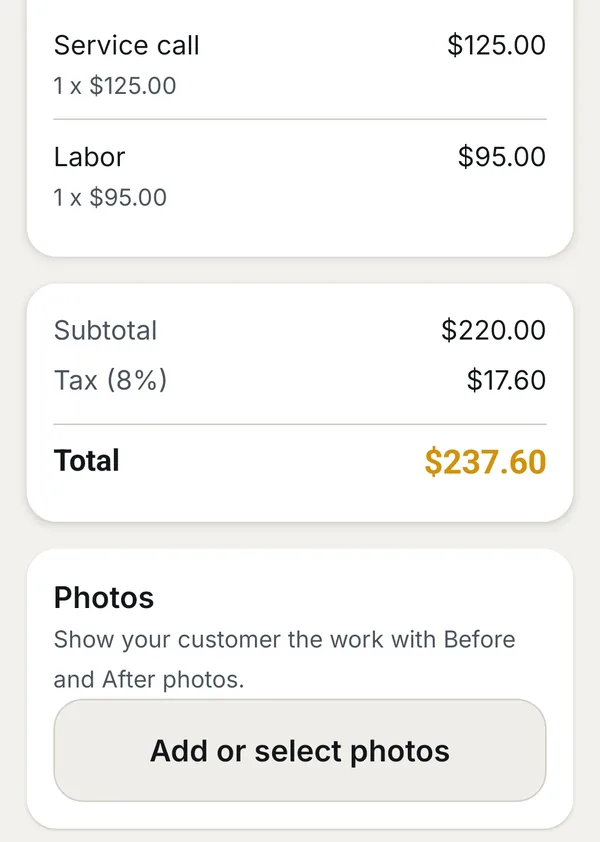
Line items, tax and photos. Example data. - 4
Send a clear invoice
Build the invoice with line items and tax, generate a PDF, and send invoices or payment reminders by email. Show the manual payment methods you have set up, and record payments as they arrive.
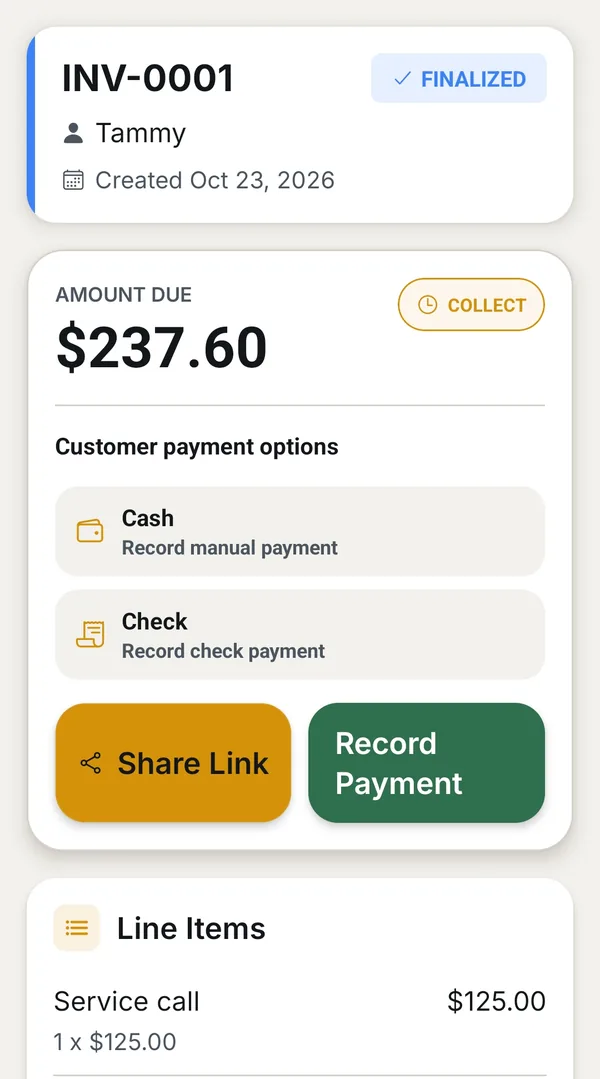
Recording a payment. Example data. - 5
Keep your crew together
On the Crew plan, invite team members to shared jobs and manage their roles. Invited members create their own free accounts and join your crew; the owner’s subscription covers their access.
Payments, plainly
It records payments. It does not collect them.
Pencil & Paid tracks the payments you record. Turning on a manual payment method shows your customer where to pay, but it does not verify or collect the payment for you.
That keeps your invoice record accurate without putting the app between you and your customer’s money.
Plans
Two plans, one monthly price each.
- Solo
- $29 per month
- For one user.
- Crew
- $49 per month
- Up to five total users, including the owner.
- New business owners get a 14-day account trial when they create an account. No card is required to create the account or start the trial.
- The trial does not start a paid subscription on its own. Continued access after the trial needs an active subscription.
- Subscriptions are bought through Google Play and renew monthly until you cancel. You can manage or cancel in Google Play subscriptions.
- Prices shown here match the Google Play listing as of October 2026. The purchase screen shows the price and billing terms before you subscribe.
Straight answers
Questions before you install.
How do I start?
Install Pencil & Paid from Google Play and create your account in the app. New business owners get a 14-day account trial, and no card is needed to create the account.
What is the pencilandpaid.com sign-in for?
Signing in on the web gives you a dashboard to view your work and add employees to your company. To start, install the Android app from Google Play.
Does it take payments from my customers?
No. It records the payments you receive and shows the payment methods you have set up. It does not verify or collect them.
How do invoices reach my customer?
You can send invoices and payment reminders by email, and download an invoice as a PDF.
Where are the privacy policy and terms?
Read the Pencil & Paid privacy policy and terms.
Questions about Pencil & Paid?
Tell us about your trade and how you bill.